Getting Started
A Home Assistant dashboard card to view and edit the weekly time programs of a Vaillant controller
(sensoCOMFORT VRC 720, ebusd circuit ctlv2) locally over ebusd and MQTT.
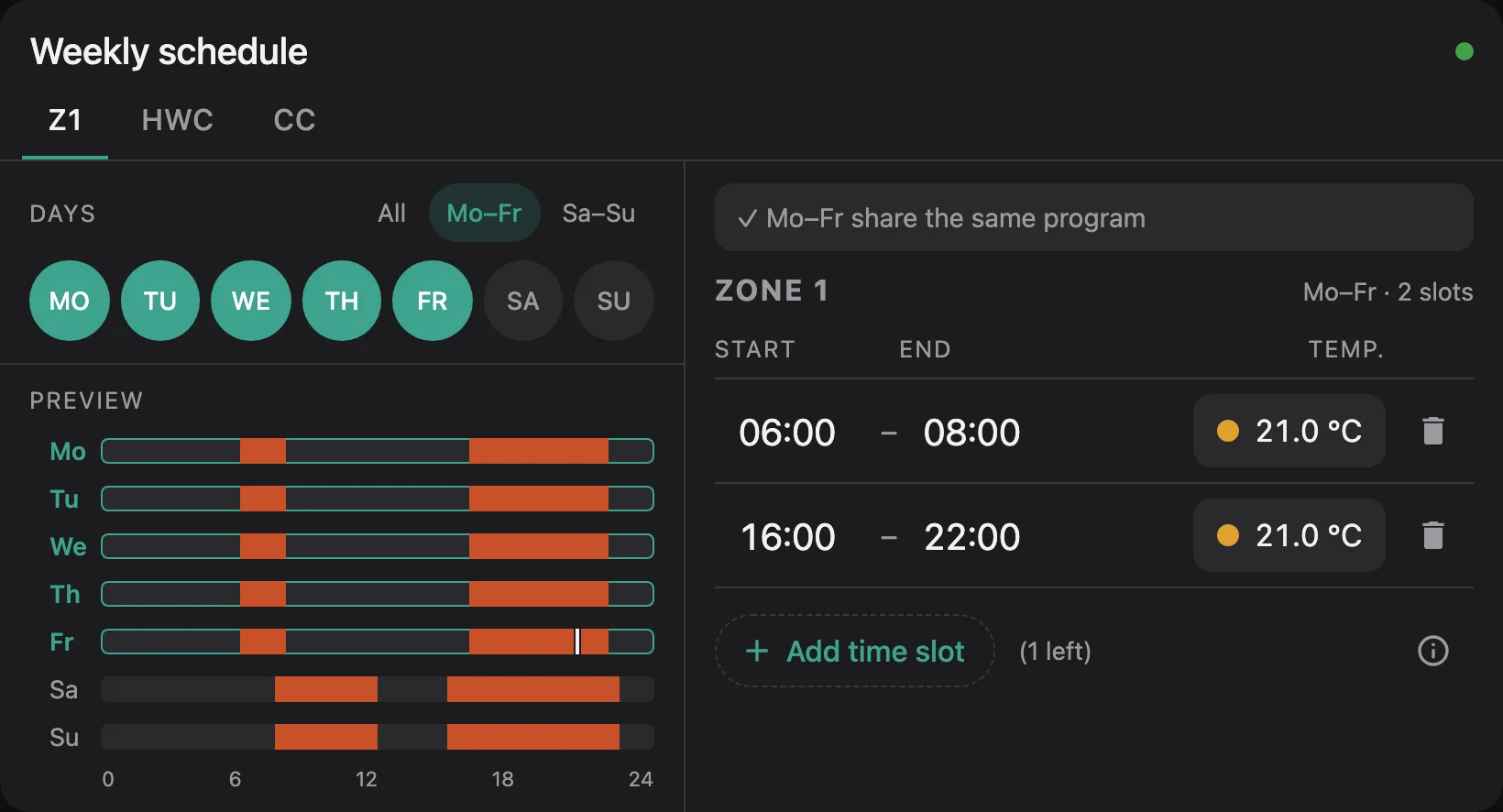
Pick several days, change their time slots once, and the card writes them to the controller day by day and checks each day against what the controller reports back.
Features
- Heating zones 1–3, hot water and circulation, each on its own tab
- Edit several days at once: quick selection for Mo–Fr, Sa–Su or all days; days with different programs are pointed out before you overwrite them
- Up to 3 slots per day on the controller's 10-minute grid, with a temperature per slot for zones and hot water
- Checks before writing: overlaps, end before start, temperatures out of range, touching slots that could be merged
- Verified writes: every day is read back from the controller; if one doesn't match, retry, continue or restore
- Week preview with a marker for the current time, and a read-only preview mode
- Status at a glance: connected, waiting for values, ebusd offline, entities not found
- 14 languages, following the Home Assistant user's language
- Two looks: the card's own dark design, or your Home Assistant theme
Installation
Before installing, make sure you have:
- ebusd connected to your eBUS adapter and publishing to MQTT with Home Assistant discovery
- local ebusd definitions with the complete time program messages; the upstream ones read only the first slot of each day, see ebusd configuration
- Home Assistant with the MQTT integration configured;
the card writes with the
mqtt.publishaction - the time program sensors of your controller in Home Assistant, e.g.
sensor.ebusd_ctlv2_z1timer_monday0_htm

The card is in the default catalog, so you can simply search for it. The button above opens it directly in your Home Assistant.
Since Home Assistant 2026.11, HACS is built in as the Marketplace.
- Go to Settings Marketplace
- Search for eBUSd Time Program Card and download it
- Reload the browser
The Marketplace adds the dashboard resource and offers updates for new releases.
Not found? Add it from its link
If the search doesn't find the card yet, add it as a custom repository:
- Go to Settings Marketplace Add from link (custom repositories need a one-time GitHub sign-in)
- Enter
https://github.com/citoki/ebusd-time-program(type Dashboard, if asked) - Download the card and reload the browser
- Open HACS
- Search for eBUSd Time Program Card and download it
- Reload the browser
Not found? Add it as a custom repository
If the search doesn't find the card yet:
- Go to HACS ⋮ Custom repositories (HACS custom repositories docs)
- Add the repository URL
https://github.com/citoki/ebusd-time-programwith type Dashboard - Search for eBUSd Time Program Card, download it and reload the browser
- Download
ebusd-time-program-card.jsfrom the releases page - Copy it to
/config/www/on your Home Assistant - Settings Dashboards ⋮ Resources
Add resource: URL
/local/ebusd-time-program-card.js, type JavaScript module - Reload the browser
Browser cache
Home Assistant serves /local/ with a long browser cache. After replacing the file, add ?v=2 to the
resource URL (and count up each time), or use the
loader: copy it to
/config/www/ebusd-time-program-card-loader.js and register
/local/ebusd-time-program-card-loader.js as the resource instead. It always loads the current file.
Add the card
Edit a dashboard, Add card and search for ebusd.
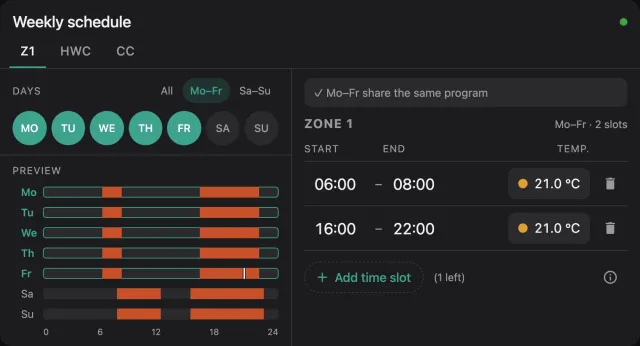
Or in YAML:
That is enough for a standard ebusd setup with zone 1, hot water and circulation. All settings are on the options page, ready-made configurations on examples.
Initial startup
Right after ebusd starts, the card shows Waiting for values from ebusd until every slot of a program has been read once. Depending on ebusd's poll interval this can take a few minutes.
Tested installations
- Vaillant aroTHERM plus 55/6 heat pump, VR 71 wiring centre and sensoCOMFORT VRC 720 (
ctlv2), ebusd as Home Assistant add-on: zone 1, hot water and circulation
Zones 2 and 3 use the same message names as zone 1 and should work the same way, but haven't been tested on a real system yet. Have a different setup? Please open an issue and tell us whether it works.
Support
If the card is useful to you, you can support its development through GitHub Sponsors.